
Introduction
Speeding up the build time for Angular applications is key to keeping developers productive and ensuring smooth CI/CD pipelines. In this blog, we’ll look at some practical ways to optimize Angular build time using AWS CodeBuild. AWS CodeBuild is a managed service that compiles source code, runs tests, and produces deployable artifacts. By using the right techniques and configurations, developers can reduce build times and streamline their development workflow. Let’s dive into some easy tips to achieve this.
Problem Statement
Long build times can hinder development workflows, leading to decreased developer productivity and slower release cycles. Angular applications, with their complex dependency graphs and extensive build processes, are particularly susceptible to lengthy build times.
Angular applications are web apps built using Angular, Angular helps developers create fast and scalable applications with rich user interfaces. As projects grow larger and more complex, it’s crucial to optimize build times to keep the development process smooth and release new features quickly. By reducing build times, developers can work more efficiently and bring updates to users faster.
Solution
AWS CodeBuild offers features and configurations to optimize Angular build times effectively. By fine-tuning the build environment, caching dependencies, and optimizing build commands, developers can achieve significant improvements in build performance.
Optimizing Build Environment
Start by selecting an appropriate build environment for your Angular project. Choose a compute type and image that align with your project’s requirements and resource demands. Additionally, consider using a custom Docker image tailored specifically for Angular builds, pre-installing necessary dependencies and tools to streamline the build process.
### Caching Dependencies
Utilize CodeBuild’s caching mechanism to cache dependencies and improve build performance. By caching the node_modules directory, subsequent builds can reuse installed dependencies, reducing the time spent downloading and installing packages. Configure the cache settings in your buildspec file to ensure efficient caching across builds.
### Optimizing Build Commands
Optimize your build commands to minimize execution time while preserving build integrity. Leverage Angular CLI options such as –prod for production builds and –aot for Ahead-of-Time compilation to optimize build output and improve runtime performance. Fine-tune other build parameters such as –build-optimizer to enable/disable build optimizations based on your project’s requirements.
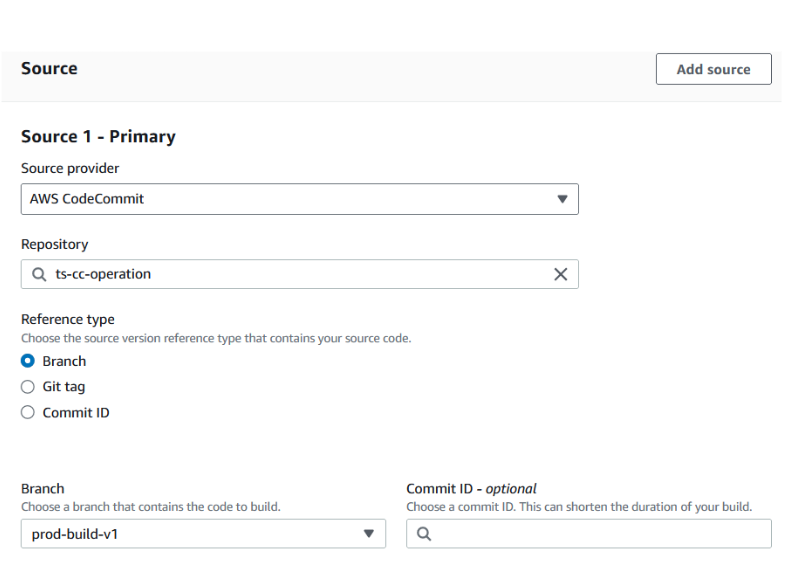
Steps for creating a Build project
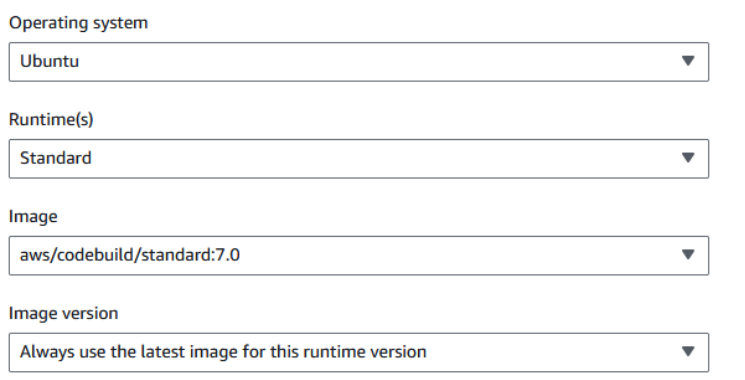
- Select the latest entry as per requirements under Environment:
- Use below command for build for reducing the build time:
– NODE_DEBUG=cluster,net,http,fs,tls,module,timers node –trace-gc –max_old_space_size=25000 ./node_modules/@angular/cli/bin/ng build –prod –build-optimizer=false –verbose –aot=false
- Use Artifacts for storing objects in S3:
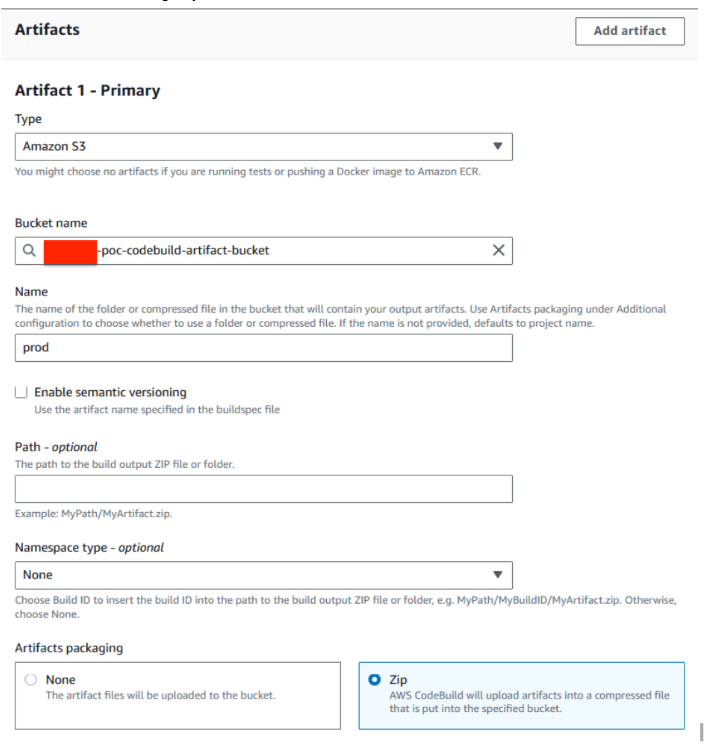
- Artifacts syntax in buildspec yaml file:
artifacts:
files:
– dist//*
– appspec.yml
– reload_nginx.sh
– check_angular_status.sh
- Use Cache features for reducing the build timing & storing the modules in S3:
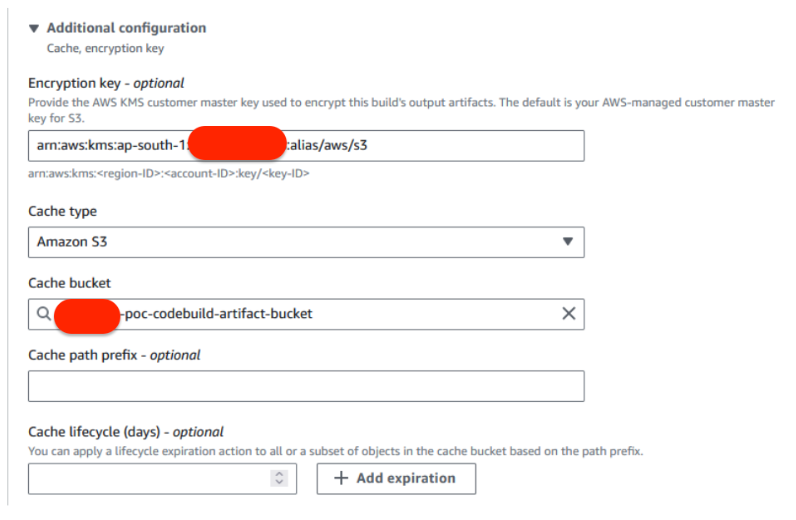
- Cache syntax in build spec yaml file :
cache:
paths:
– ‘node_modules//*’
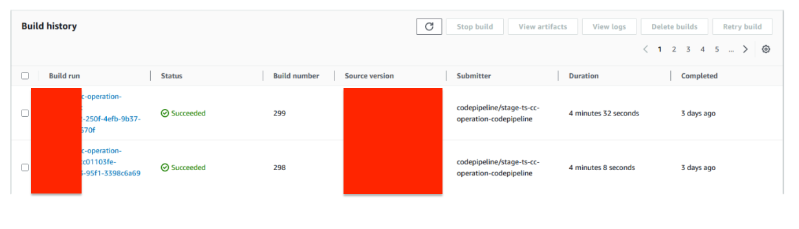
Benefits
Conclusion
Optimizing Angular build times in AWS CodeBuild is essential for enhancing developer productivity and accelerating release cycles. By leveraging build environment optimizations, caching dependencies, and fine-tuning build commands, developers can significantly reduce build times and streamline the development process. Implementing these strategies empowers development teams to deliver high-quality Angular applications efficiently and effectively in AWS environments.
Written by Mohd. Asif